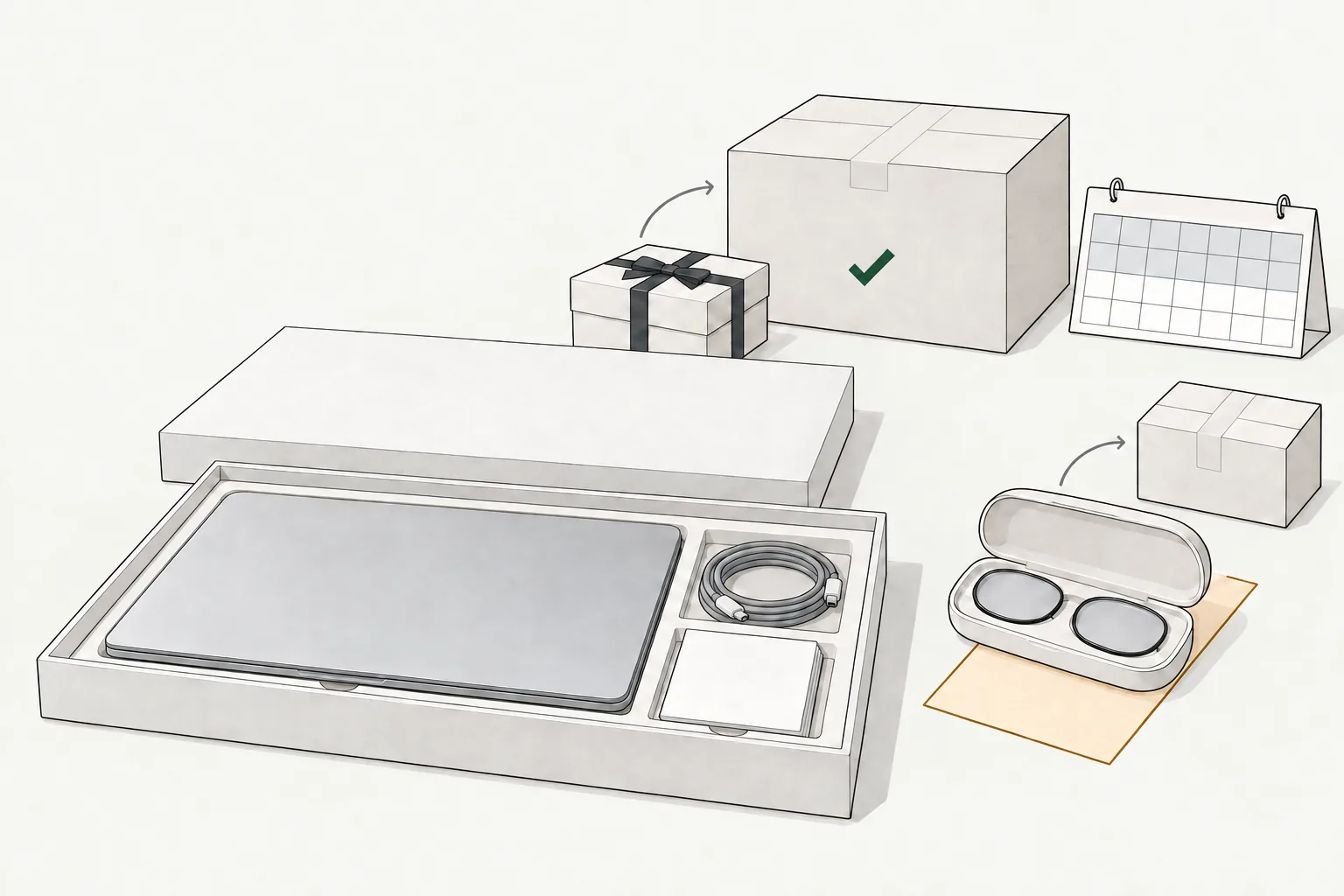
Key facts
- Carrier pickup
- Free · Other methods' costs are not published
- Receipt needed
- Required; online invoice available
- Condition
- Original condition; complete contents and packaging · Disable security features
- Refund goes to
- Original payment, with exceptions
- Restocking fee
- Not published
- Apple's standard window is 14 calendar days from receipt, including Education, Certified Refurbished and Clearance purchases.
- Apple requires a receipt, original condition and complete contents and packaging; security features that cannot be disabled can prevent acceptance.
- Eligible purchases can go to a US Apple Store or through Order Listing by mail; Apple's shipping help calls carrier pickup free.
- Refunds follow the original payment method. Apple's help gives five business days after Apple receives the item to send card refunds to the bank; its terms allow inspection and ten business days.
- Engraved and custom-configured items qualify for refunds, but not store exchanges. Gift cards, software downloads and Apple Developer products are excluded.
Apple return rules at a glance
| Purchase or item | Rule | How to return | Watch out for |
|---|---|---|---|
| Most direct Apple purchases | 14 calendar days from receipt | Store or Order Listing | Day counting and mail deadline milestone unpublished |
| Certified Refurbished and Clearance | Standard policy, 14 days | Call 1-800-676-2775 | Request within 14 days of receipt |
| Personal Education Pricing purchases | 14 days, receipt, original condition | Standard routes | No longer window |
| Gifts | Standard 14-day policy | Gift Returns (serial number or order number + UPC) or Apple Store | Prepaid label; Apple Gift Card refund |
| Engraved or custom-configured items | Refund under standard policy | Store or mail | No store exchange |
| ZEISS Prescription inserts | 14 days from receipt | Order Listing or 1-800-MY-APPLE | No store returns |
| ZEISS Readers | 14 days from receipt | Store, Order Listing or 1-800-MY-APPLE | Different route from Prescription |
| Ten or more identical products | Standard conditions | Store where purchased | Same product, not assorted items |
| Software | Returnable if not installed | Ask Apple | Broken printed-license seal prevents return |
| Gift cards, downloads, Software Up-to-Date, Developer items | Not returnable | No merchandise return | Digital-service requests are separate |
| Damaged or incorrect online delivery | Contact Apple promptly | US store or 1-800-676-2775 | Separate reporting deadline unpublished |
| Cellular iPhone/iPad | Standard return conditions | Standard routes | Service isn't automatically canceled |
| Other-retailer or carrier purchases | Seller's policy | Original seller | Apple's window doesn't apply |
| App Store, Apple Books and other digital purchases | Separate refund review | reportaproblem.apple.com | No blanket 14-day promise |
How Long Do You Have to Return Something to Apple?
14 calendar days from the day you receive the product from Apple is the standard window for direct store, online, app and phone purchases. Education purchases get the same period; no AppleCare or loyalty extension is published.
Older guides quote other windows; rely on Apple's current policy.
When Does the 14-Day Clock Start and Stop?
The clock starts on receipt. Apple publishes no day-one rule, cutoff, time zone or weekend/holiday adjustment.
For ordinary mailed returns, Apple doesn't specify initiation, carrier handoff, scan or arrival by day 14, or extra shipping time. Start and hand over the box several days early; follow your order's instructions. Only Apple's refurbished and clearance wording sets a request deadline (call within 14 days); don't apply it to other products.
If you haven't bought yet and Costco is another option for a laptop or tablet, the Costco return policy guide explains how its returns work.
Is There a 2026 Holiday Return Extension From Apple?
As of October 29, 2026, Apple's US returns pages show no 2026 holiday extension: no qualifying dates, deadline, required action or exclusions are published. That doesn't rule out a later announcement, but until Apple publishes one, the standard 14 days applies. Check Apple's returns page before relying on a seasonal date; prior-season dates don't establish this season's rules.
What Apple's Return Policy Covers
Apple's policy covers purchases from Apple Store locations, Apple Store Online, the Apple Store app and Retail Customer Care phone orders. Returns are accepted only in the country of purchase, and orders shipped directly to a business are returned through the Apple Business Team.
Apple Products Bought From Another Retailer or Carrier
Apple products purchased elsewhere go back to that seller under its policy. For an electronics-chain purchase, consult the Best Buy return policy. For marketplace purchases, check the Amazon return policy and the relevant seller's rules.
Find more US store return guides if another seller supplied your device.
Refurbished, Clearance and Education Purchases
Apple Certified Refurbished and Clearance items follow the standard policy, but Apple's Online Exclusives help says to request the return at 1-800-676-2775 within 14 calendar days of receipt.
For refurbished/clearance defects, contact an AppleCare Advisor at 1-800-275-2273 for Apple-branded goods, or the manufacturer for third-party goods. Personal Education purchases require a receipt, original condition and 14 days; institutional purchases are outside this guide's scope.
Condition Rules: Complete, Original and Signed Out
Apple's sales terms require:
- A receipt and the product in original condition.
- Included parts, accessories, cords, adapters, documentation and packaging.
- Loss/theft security features turned off. Apple may refuse a device whose features the person returning it can't disable.
Before handing over an iPhone or iPad, back up your data, then follow Apple's steps to sign out and erase the device, which also removes Find My and Activation Lock.
Apple recommends original shipping packaging for computers. Apple publishes no deductions for missing parts or wear, so don't assume an incomplete item will be accepted.
Can You Return an Opened Apple Product?
Apple doesn't list opening hardware packaging as disqualifying; original condition and completeness still apply. No wear threshold or universal light-use allowance is published; used-device acceptance remains Apple's decision.
Software must never have been installed; a broken printed-license seal/sticker prevents return.
How to Return Something to Apple
Apple offers store returns, mail returns through Order Listing and Gift Returns. Check eligibility first. Apple doesn't say whether a mailed return must be started, handed to the carrier or received by day 14, so start it and hand over the box several days early. If an online order still shows Processing, you may be able to cancel it in Order Listing instead of returning it.
Step by Step: Returning at an Apple Store
- Check eligibility, back up and sign out of the device, then repack all included contents and packaging.
- Bring the receipt or recover your online invoice using the steps below.
- Use the Apple Store finder to choose a US store. A Specialist processes eligible returns during the visit, according to Apple's return instructions.
Ten or more identical products go to the original store; ZEISS Prescription inserts cannot go to any store. Business-shipped orders require the Business Team. Use Apple's contact help if unsure.
Step by Step: Returning by Mail From Your Order List
- Check eligibility, back up and sign out of the device, then repack all included contents and packaging.
- Sign in to Order Listing and select the item or order details.
- Select Start a Return, then Get Started.
- Confirm the items and select Initiate Your Return.
- Select Print Return Label; print the shipping label and any required hazmat labels.
- Print a fresh label for each additional box, then arrange carrier pickup or use that carrier's drop-off locations.
Apple's shipping help offers generated/emailed labels and free carrier pickup; other methods' costs are unpublished. Guest and Apple Pay orders must first be added to an Apple Account (see the receipt section below).
For an item over $2,500 shipped from Puerto Rico to the continental US, Apple's return instructions require a commodity code from Apple's trade compliance page and an Export Declaration using the Census Bureau's AESDirect filing guidance before these steps.
Returning a Gift From Apple
- Open Gift Returns.
- Identify the item by serial number, or order number plus the UPC on its packaging; submit one order at a time.
- Enter your contact details and select Continue.
- Print the prepaid shipping label and any required hazmat labels, then arrange carrier pickup or drop-off.
Apple's gift-return instructions say recipients receive an emailed Apple Gift Card once Apple receives the items. Gift-receipt returns also receive a gift card. The refund Apple Gift Card can be used only in the country where the gift was bought.
You can also take an eligible gift to an Apple Store in the US.
Can You Return to Apple Without a Receipt?
Apple requires a receipt; online orders and gifts have these proof routes:
- Online invoice: open Order Listing, select order details and View Invoice. Apple creates the invoice after shipment or pickup, according to its order help.
- Guest or Apple Pay order: open the acknowledgment email's order link, choose Add to Apple Account, sign in and verify the purchase phone number. See Apple's account instructions.
- Gift: use the serial number, or order number plus UPC, in Gift Returns.
Apple publishes no general no-proof or store card/ID/serial-number lookup route. Keep email receipts; ask Apple before traveling without a store receipt.
What Can't You Return to Apple?
Apple's nonreturnable list includes these five groups:
- Opened software, subject to the not-installed and printed-license seal conditions above.
- Electronic software downloads.
- Software Up-to-Date Program products.
- Apple Gift Cards, including older Apple Store and App Store & iTunes cards.
- Apple Developer products: membership, technical-support incidents and WWDC tickets.
Engraved items/custom Macs remain refundable under standard conditions, excluding store exchanges. ZEISS inserts and digital purchases use the routes below.
ZEISS Optical Inserts: Prescription vs Readers
Prescription: Apple accepts these custom third-party products on ZEISS's behalf within 14 days of receipt. Use Order Listing or 1-800-MY-APPLE; Apple Store returns are excluded.
Readers: Apple accepts returns within 14 days of receipt through a store, Order Listing or 1-800-MY-APPLE. These distinct routes appear in Apple's ZEISS terms.
Example: Assume two Vision Pro owners are within 14 days of receiving inserts. The Prescription owner starts online or calls; the Readers owner can also visit a store.
App Store, Apple Books and Other Digital Purchases
Some App Store, iTunes Store, Apple Books and other service purchases qualify for separate refund review at reportaproblem.apple.com.
Apple's digital-refund help says to allow 24–48 hours for an update, plus additional payment-return time if approved. That's review time, not a merchandise window or posting promise.
How Long Does an Apple Refund Take?
Five business days to send a card refund to the bank is the figure in Apple's returns help, which says refunds are initiated immediately on receipt. Apple's US sales terms instead allow inspection and say an approved refund or exchange is issued within ten business days. Apple's pages word it differently: the terms don't define the ten-day starting event, and Apple doesn't explain how inspection fits with the five-day figure. Allow for the longer ten-business-day figure before chasing a refund, then your bank's posting time; this isn't a guaranteed deadline. Check Order Listing or contact Apple for your specific return.
| Stage | Published timing |
|---|---|
| Return window | 14 calendar days from receipt |
| Shipping to Apple | Not published |
| Apple processing | Store: during the visit. Mail: initiation on receipt; card transmission within five business days after Apple receives the item per help. Terms: possible inspection and issuance within ten business days if approved; start event not published |
| Bank/provider posting | Not published; ask the card issuer |
| Cash/cash equivalent over $750 | Check mailed within ten business days; arrival not published |
Where Does an Apple Refund Go?
Apple refunds the original payment method, with these exceptions:
| Payment or return | Refund destination | Published timing |
|---|---|---|
| Credit/debit card | Original card | Help: five business days after Apple receives the item to send the refund to the bank; inspection conflict above; posting not published |
| Apple Gift Card or older gift cards | Emailed Apple Gift Card; physical card by mail on request | Separate numerical timing not published |
| Apple Account Balance portion | Back to balance; emailed gift card if at/near maximum | Separate numerical timing not published |
| Gift return or gift receipt | Apple Gift Card | Gift-return email follows Apple's receipt; no numerical interval published |
| Cash/cash equivalent over $750 | Mailed check | Mailed within ten business days; arrival not published |
| Cash/cash equivalent at or below $750 | Not published | Not published |
| Upgrade Program AppleCare+ | Lender first, toward loan | Separate numerical timing not published |
Example: Assume an accepted cash return of $900. Because $900 exceeds $750, Apple mails a check within ten business days. At exactly $750, that published rule doesn't establish the method or timing.
Exchanges, Engraved Items and Custom Macs
Apple permits US store exchanges for direct purchases under the standard 14-day, receipt and condition rules, subject to in-store stock. Apple's exchange guidance permits refunds for engraved iPad/AirPods and custom-configured Macs but excludes store exchanges for them.
Mail exchanges, exchange fees and price-difference rules are unpublished. Return a mailed item for a refund and reorder separately; stock and price aren't guaranteed.
Example: Assume complete, original-condition engraved AirPods are inside 14 days and the buyer wants another model. Request a refund, not a store exchange; check costs separately.
Does Apple Charge for Return Shipping or Restocking?
Apple's shipping help calls carrier pickup free, and Gift Returns instructions provide a prepaid label. Neither establishes free returns by every method.
| Cost | What Apple publishes | Status |
|---|---|---|
| Described carrier pickup | Free | Confirmed |
| Gift-return label | Prepaid | Confirmed |
| Every ordinary postage method | No universal price | Not published |
| Restocking fee or waiver | No general schedule or explicit waiver | Not published |
| Original delivery-charge refund | No stated rule | Not published |
| Missing-part/condition deductions | No schedule | Not published |
Ask Apple about delivery charges when returning. Older guides still state fees or nonrefundable shipping; Apple's current pages don't establish those claims.
iPhone Upgrade Program, Wireless Service and AppleCare
Wireless service: Returning an iPhone, iPad or other cellular product may not cancel or reset service. Apple says you remain responsible for the agreement and fees; contact your carrier separately.
iPhone Upgrade Program: Under the program terms, returning the new iPhone after exercising the Upgrade Option ends the new installment loan; the traded-in phone isn't returned. Returning the program's AppleCare+ loses the Upgrade Option. Any AppleCare+ refund goes to the lender toward the loan, with excess refunded to the enrollment card. These are program-specific consequences.
AppleCare cancellation: Apple's cancellation help separates recurring Apple-billed plans, cancelable anytime, from fixed-term plans. Contact the seller for recurring carrier/reseller plans. Refund amounts depend on applicable plan terms; no universal formula or hardware-window extension is published. A device fault is a warranty matter (see below).
Damaged, Wrong or Faulty Apple Products
For an online delivery arriving damaged or incorrect, Apple's return help directs shoppers to a US Apple Store or Customer Service at 1-800-676-2775. A separate reporting deadline, automatic replacement or extended faulty-item return window is unpublished. Report the problem on arrival, inside 14 days; refurbished defects use the support route above.
Is a Later Defect a Return or a Warranty Claim?
After the return window, seek warranty assessment for a defect. Apple's reviewed US iOS warranty and Mac warranty cover qualifying defects in materials/workmanship under normal use for one year from original retail purchase. The iOS coverage includes iPhone, iPad, iPod, Apple TV, HomePod, Vision Pro and in-box Apple accessories.
Apple chooses repair, replacement or purchase-price refund for accepted claims. The iOS terms conditionally exclude non-Apple products, accidental damage, normal wear and battery aging. Apple may request proof and requires data/security preparation. Seek Apple Support, Apple Retail or an authorized service provider.
Does Federal Law Give You Extra Return Time?
The FTC Cooling-Off Rule gives no three-day cancellation right for purchases made entirely online, by mail or phone, or negotiated at permanent business premises. Apple's return policy and warranty are separate terms.
This guide covers Apple's published US policy and federal guidance, excluding state-law analysis and individual order pages; see how policies are checked against official sources.
Apple Return Policy Mistakes to Avoid
- Counting from ordering or adding shipping time: use receipt as the trigger; no shipping cushion is published.
- Taking ZEISS Prescription inserts to a store: use Order Listing or call.
- Requesting a store exchange for engraved items/custom Macs: use the refund route.
- Returning an upgraded iPhone expecting the old phone back: the surrendered phone isn't returned under that program.
- Assuming a device return cancels wireless service: contact the carrier.
- Taking ten or more identical products elsewhere: use the Apple Store where purchased.
- Returning a device with Find My still on: Apple may refuse a device whose security features you can't disable.
Questions shoppers ask
Can I return an Apple product I bought in the US in another country?
No. Apple's sales terms restrict returns to the country where the product was purchased, so a US purchase needs a US return route. Arrange the return before traveling if possible. Don't assume another country's Apple Store can process it simply because the same product is sold there.
How do I return an Apple order that was shipped to my business?
Contact the Apple Business Team to initiate the return, as Apple's returns help directs. The consumer store and mail steps aren't a substitute for that instruction. Use Apple's contact page if you need help reaching the team, and confirm the applicable order terms before sending the goods.
Does AppleCare+ give me longer than 14 days to return an Apple device?
Apple publishes no AppleCare-based extension of the hardware return window. Use the standard 14-calendar-day period from receipt for an eligible device. Canceling AppleCare is a separate task governed by the plan and billing route; check Apple's cancellation guidance rather than assuming that returning the hardware completes every cancellation.
What happens to my refund if I cancel a charged Apple pickup order?
Apple's help says initiation is immediate after a billed pickup cancellation request. For a credit/debit payment, Apple says it sends the refund to the issuing bank within five business days of that request. Bank posting time is unpublished, so ask the issuer when the credit will appear.
Can I return an Apple product I bought in Puerto Rico?
Apple publishes a Puerto Rico mail-return route. For an item over $2,500 shipped to the continental US, first locate its commodity code and file an Export Declaration, then follow Apple's return instructions. Confirm eligibility and the order's instructions; the extra paperwork doesn't establish a longer return window.
Official sources
Every rule above comes from one of these pages. We read them all on Oct 29, 2026.
- 1.Returns & Refunds - Shopping Help (opens in a new tab)apple.com
- 2.Apple Store Purchase Policies — U.S. Sales and Refund Policy (opens in a new tab)apple.com
- 3.Online Exclusives - Shopping Help (opens in a new tab)apple.com
- 4.Viewing & Changing Orders - Shopping Help (opens in a new tab)apple.com
- 5.Your Account - Shopping Help (opens in a new tab)apple.com
- 6.Shipping & Pickup - Shopping Help (opens in a new tab)apple.com
- 7.Returns & Refunds - Shopping Help - Education (opens in a new tab)apple.com
- 8.iPhone Upgrade Program Terms and Conditions (opens in a new tab)apple.com
- 9.Cancel AppleCare coverage for your Apple device (opens in a new tab)support.apple.com
- 10.Legal - iOS Warranty Document US (opens in a new tab)apple.com
- 11.Legal - Mac Warranty US (opens in a new tab)apple.com
- 12.Buyer’s Remorse: The FTC’s Cooling-Off Rule May Help (opens in a new tab)consumer.ftc.gov
- 13.Contact - How to Contact Us - Apple (opens in a new tab)apple.com
- 14.Find your Order - Apple (opens in a new tab)apple.com
- 15.Gift Returns - Apple (opens in a new tab)secure.store.apple.com
- 16.Apple Store - Find a Store - Apple (opens in a new tab)apple.com
- 17.Request a refund for apps or content that you bought from Apple (opens in a new tab)support.apple.com
- 18.Payment & Pricing - Shopping Help (opens in a new tab)apple.com
- 19.What to do before you sell, give away, or trade in your iPhone or iPad (opens in a new tab)support.apple.com
- 20.Legal - Global Trade Compliance - Apple (opens in a new tab)apple.com
- 21.ACE AESDirect — U.S. Census Bureau (opens in a new tab)census.gov
Changes to this guide
- Oct 29, 2026
- Guide published after a fact-check by Kimberly Reeves against Apple's official pages.
StoreReturners isn't affiliated with Apple. Retailers change their policies, so confirm the details on Apple's official page before you return anything. Spotted something out of date?